Request for Access
In today’s industrial environments, remote maintenance and troubleshooting are essential - but they must be secure, auditable, and controlled.
Request for Access adds an extra layer of security on top of existing user permissions by ensuring that access to specific appliances or endpoints must be explicitly requested and approved.
It allows users to request access in a simple, transparent way, while giving admins full control to approve or deny requests without slowing technicians and engineers.
Why we built it
For manufacturers and machine builders alike, controlling who gets access and when is critical for security, compliance, and uptime.
This feature was built to address everyday challenges faced by remote engineers, IT admins, and operational teams who need quick, controlled access without compromising security.
What's New in Secomea Prime
The requester flow can be fully managed in Secomea Prime:
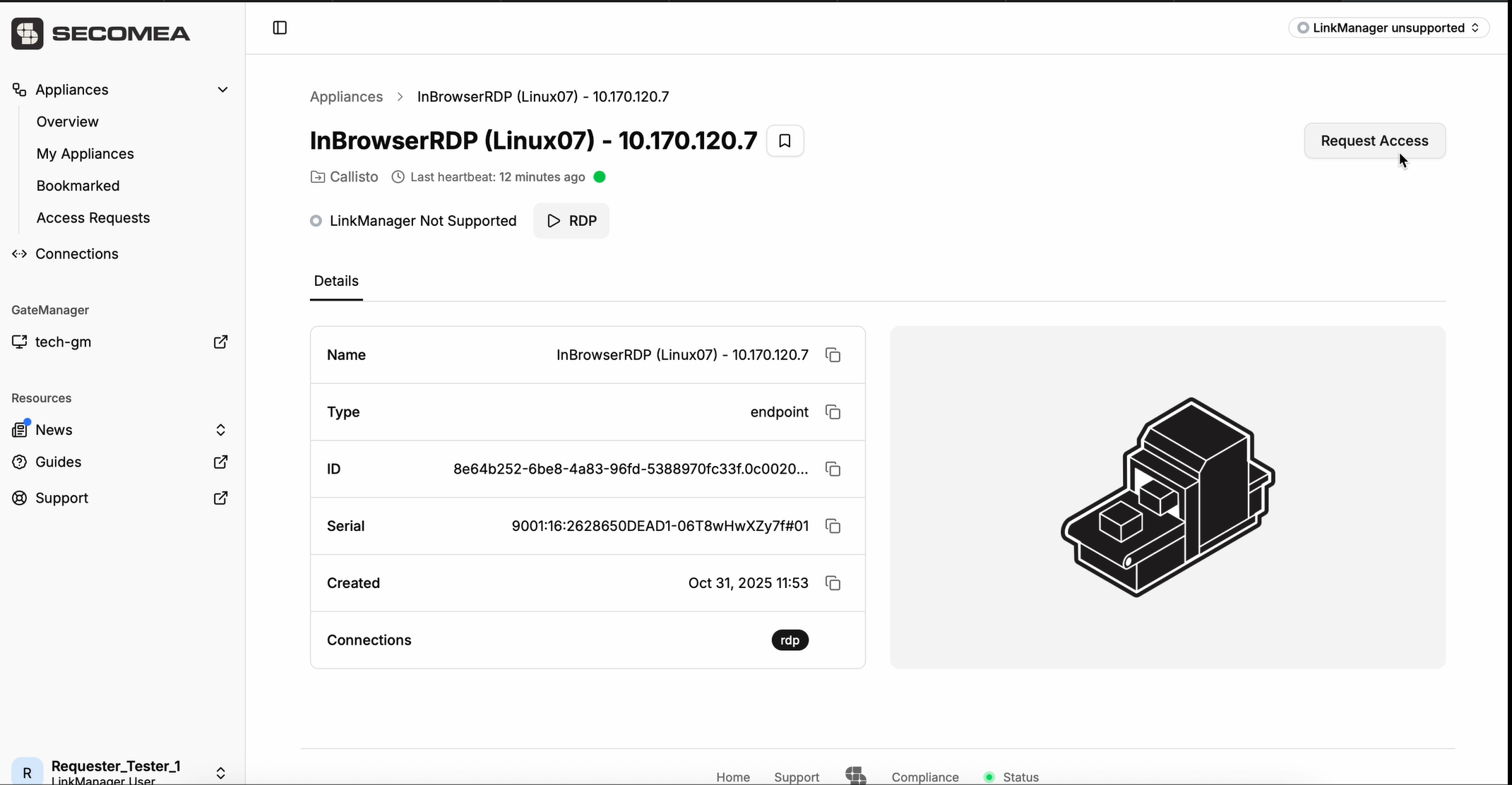
- Locate the appliance or endpoint you want to access and open the corresponding page. Click Request Access.
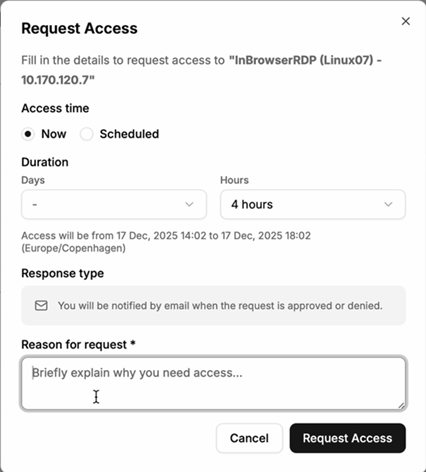
- Provide context, such as reason and access window
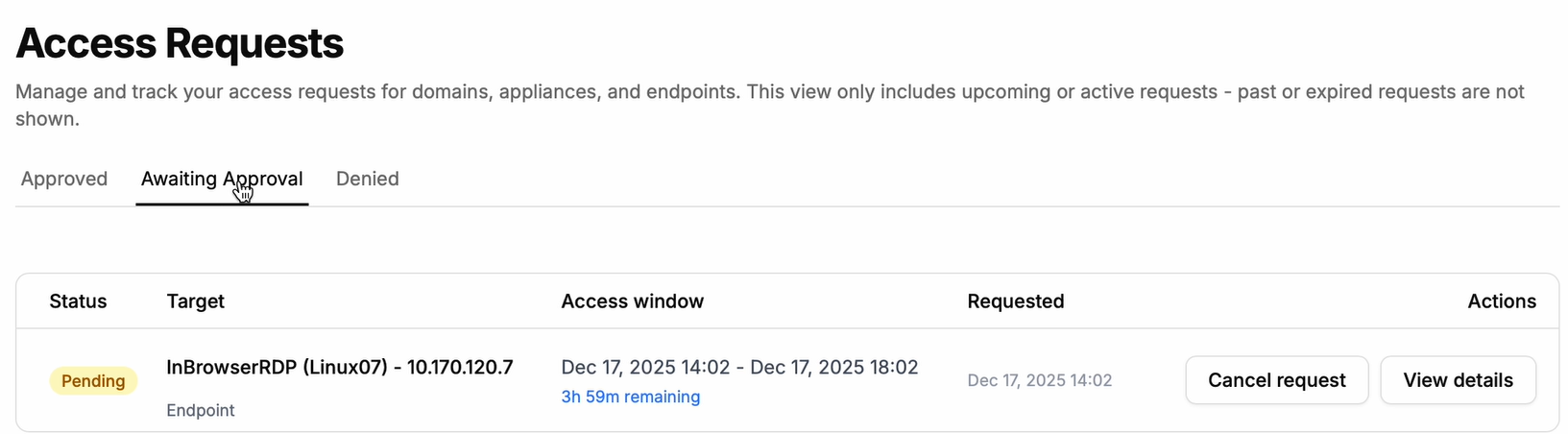
- Your Pending request will be listed under your Access Requests that are Awaiting Approval.
.png)
- Once Approved, you can start a remote connection right away.
Admins and approvers retain full control over approvals, ensuring security policies are upheld without blocking critical work.
Secure by design. Built for real work.
Request for Access is designed for real industrial environments, where downtime is costly, and security is non-negotiable. By bringing the full access request workflow into Prime, we reduce complexity, improve visibility, and help teams work faster without compromising control.
The Request for Access is included with the Secomea Professional and Premium packages. The Requester flow for Request for Access is available in Prime UI for users who have Request for Access enabled and configured.
Log in to Secomea Prime to try it out, and stay tuned as we continue to expand access control capabilities across the platform.