Configure custom SCIM attributes for users in Okta
We have enabled the use of two custom attributes, so you’re able to control these from Okta:
- role → sets user’s role
- path → sets domain path location for a created user or group
By default, a user will be provisioned with the LinkManager User role. When needed, you can instead provision a Domain Admin, Domain Observer, or Basic Admin.
By default, a user or group will be placed in a SCIM/Users or SCIM/Groups domain folder, respectively, in the Secomea solution. You can however specify a subdomain with in the SCIM domain to place the resource in. This can be a domain folder that’s already previously been created, or a new one, in which case our SCIM Service will facilitate the domain folder creation.
Configuring custom attributes for Users
See the below steps for how to configure the use of the two custom attributes for Users.
a) Go to Profile Editor and select your SCIM Application
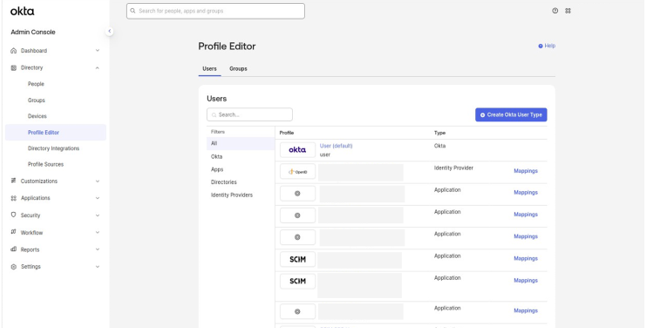
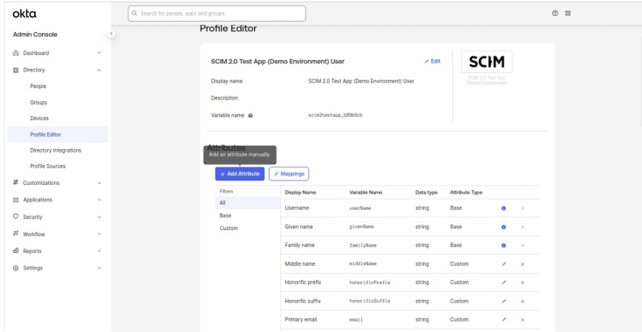
b) Once selected, click on Add attribute button as below:
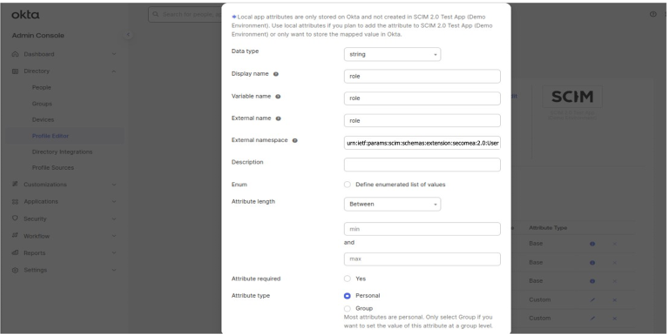
c) For Role, fill out the fields as shown in the screenshots below:
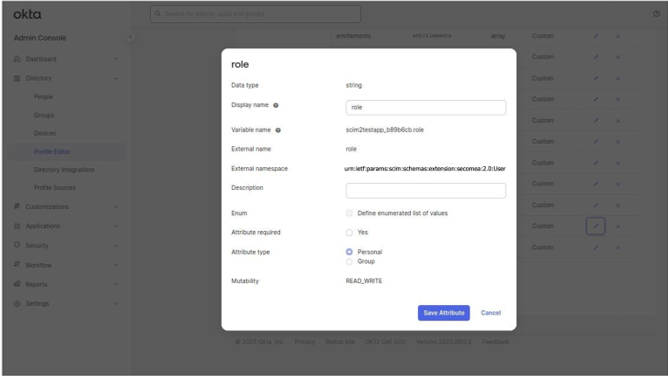
Role after updating the attribute:
d) Follow the same steps for path attributes which will look like below:
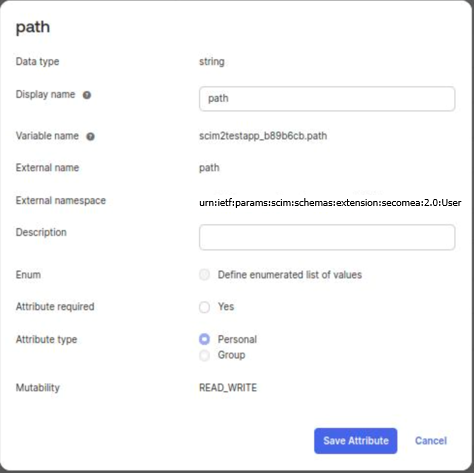
e) Now after setting up the config for custom attributes, these fields will be available while assigning users in SCIM application as below:
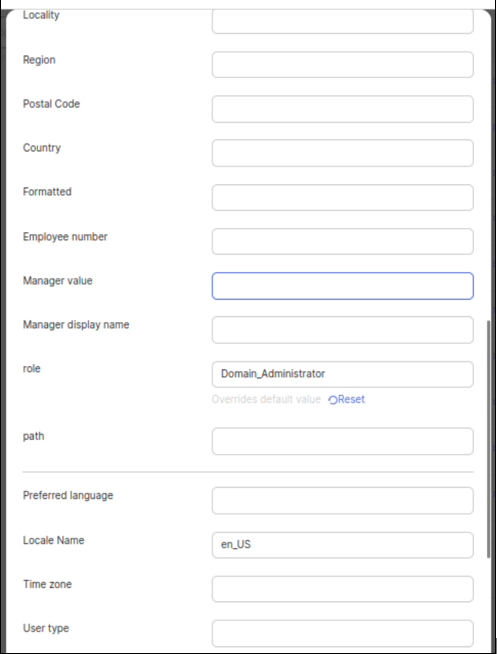
f) The roles we currently support for assigning to a user via SCIM are given in the table below. The needed role should be inserted in Okta as shown above.
| Role | Okta Field Value |
|---|---|
| LinkManagerUser | LinkManager_User (By Default) |
| Domain Administrator | Domain_Administrator |
| Basic Administrator | Basic_Administrator |
| Domain Observer | Domain_Observer |