The purpose of this article is to show how to setup DHCP on DEV1
1. Open up the SiteManager GUI and go to System>DEV1>DHCP>>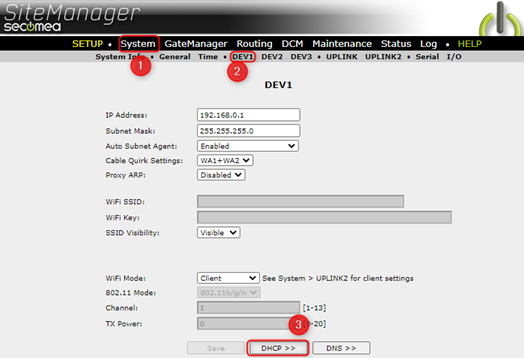
2. Here, it is possible to configure the DHCP range through Pool 'Start' and 'Stop', in this example we set the DHCP range to 192.168.0.50-55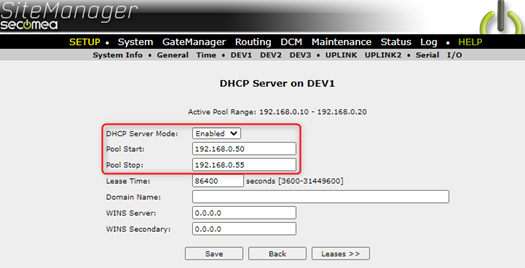
Note that 'DHCP Server Mode' is Enabled, and Click 'Save'
3. If for example a PC is connected through DHCP via Ethernet, it will now be given a Lease, these can be seen in Leases>>
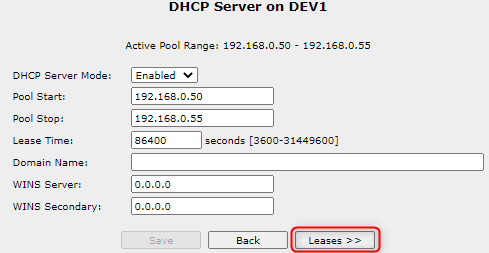
And would show up like this:

Ít is also possible to check if the correct IP was configured by running an 'ipconfig' through 'command prompt'