We've updated our file storage system, so some links may no longer work. If you need a file, just email us at support@secomea.com—we’re happy to help!
How to identify SiteManager Firmware
- Updated on May 6, 2021
- Published on Apr 7, 2021
This guide shows how you can identify your firmware version on your SiteManager.
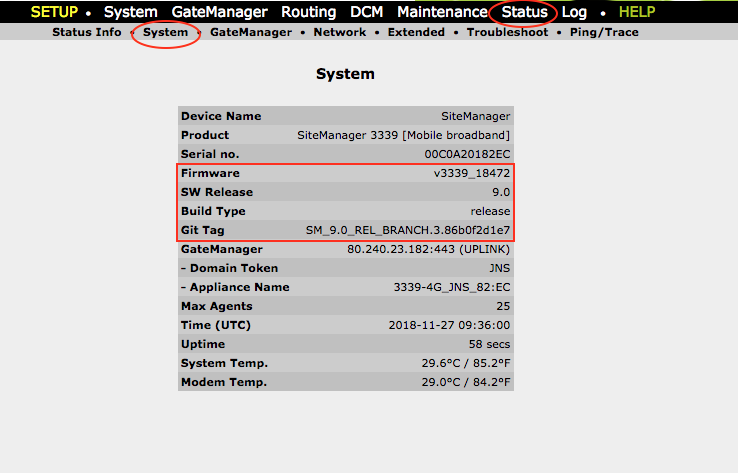
See SiteManager Firmware from the SiteManager GUI
Go to SiteManager GUI. Either local or through GateManager.
Go to Status -> System and check versions of:
- Firmware
- SW Release
- Build Type
- Git Tag
Was this article helpful?