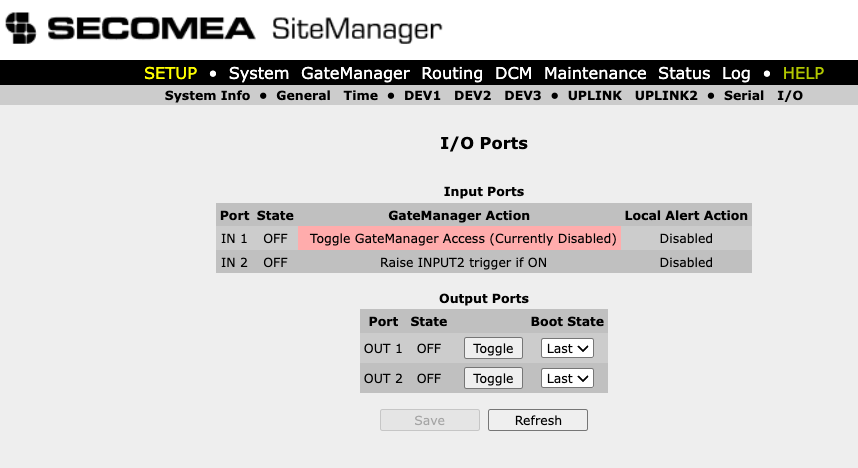
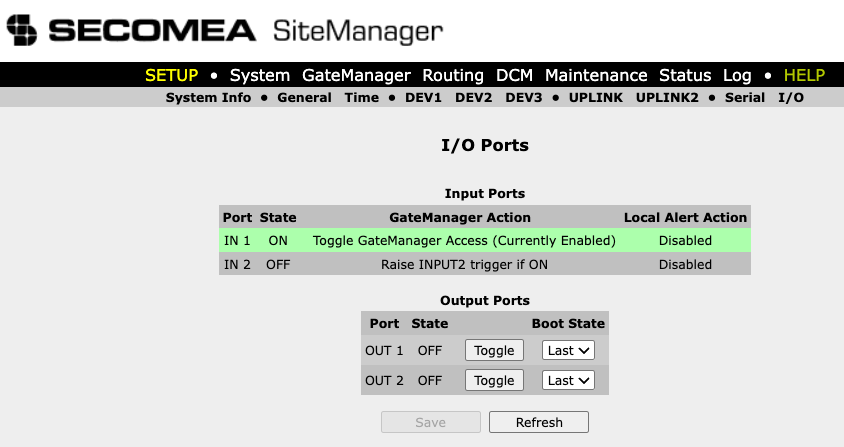
Overriding remote access to SiteManager via IN 1 port
Remote access to a SiteManager and its associated connections can be controlled by a physical switch or relay connected to the IN 1 port. This allows the final decision to enable or disable remote access to be made locally at the hardware level, independent of software configuration.
How the IN 1 port works
The IN 1 port is designed to be driven by a mechanical switch or relay wired between the GND and Input terminals of the SiteManager. An internal 10 kΩ pull-up resistor keeps the input at 3.3 V when nothing is connected, so an unconnected or open port is always in the OFF state by default.
The port uses active-low logic, meaning:
- Switch closed (pin grounded) — voltage is pulled to near 0 V → input state is ON
- Switch open (pin floating) — pull-up resistor holds voltage at 3.3 V → input state is OFF
The defined voltage thresholds are:
- ON: 0.16 V or below
- OFF: 2.34 V or above
- Undefined: voltages between 0.16 V and 2.34 V
Controlling remote access
Depending on how the SiteManager is configured, the IN 1 port can either enable or disable remote access when activated. Two setups are supported:
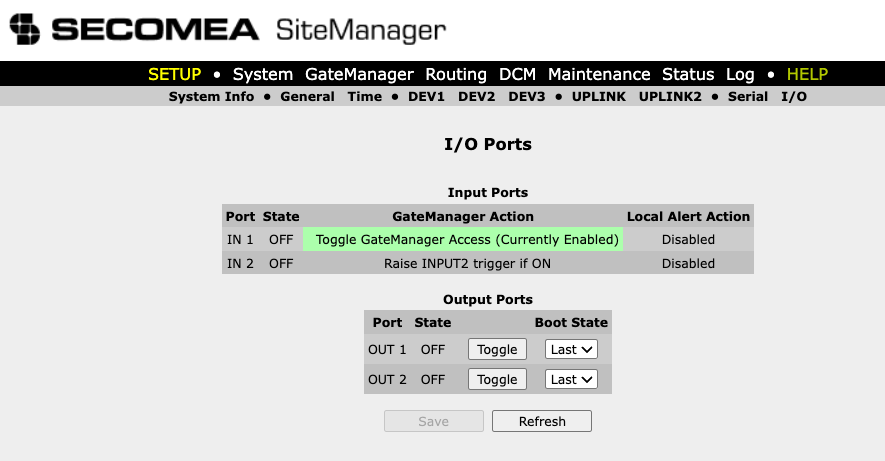
- The default setup has remote access enabled by default. Activating IN 1 (closing the switch) disables remote access.
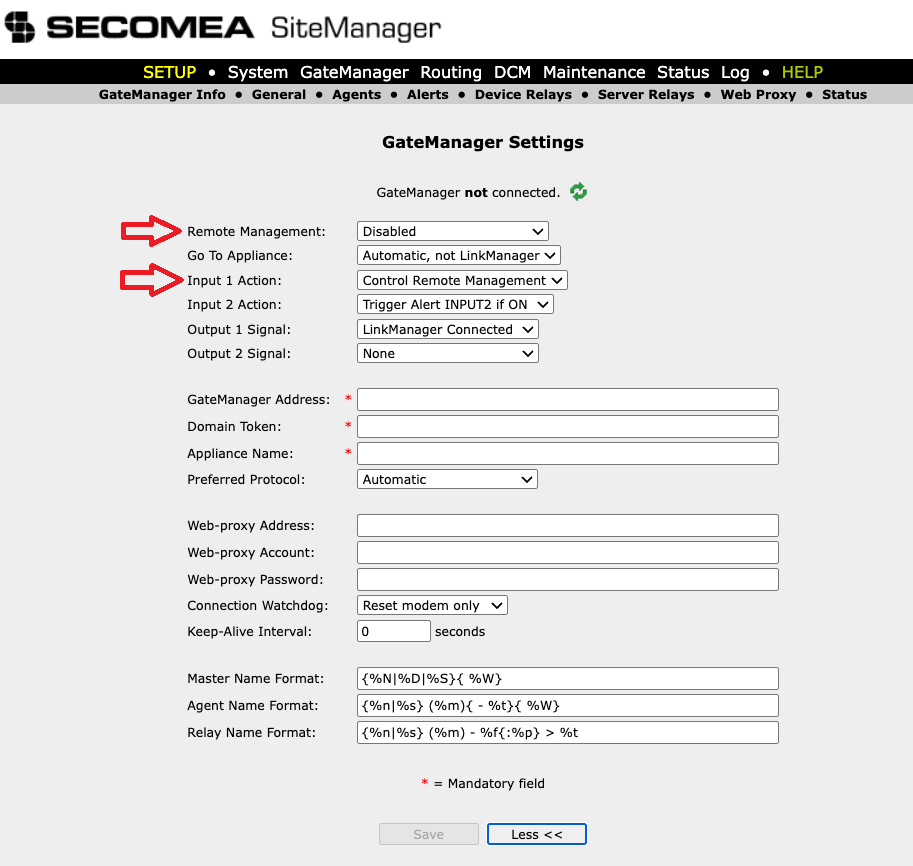
- The alternate setup has remote access disabled by default. Activating IN 1 (closing the switch) enables remote access.
Default setup
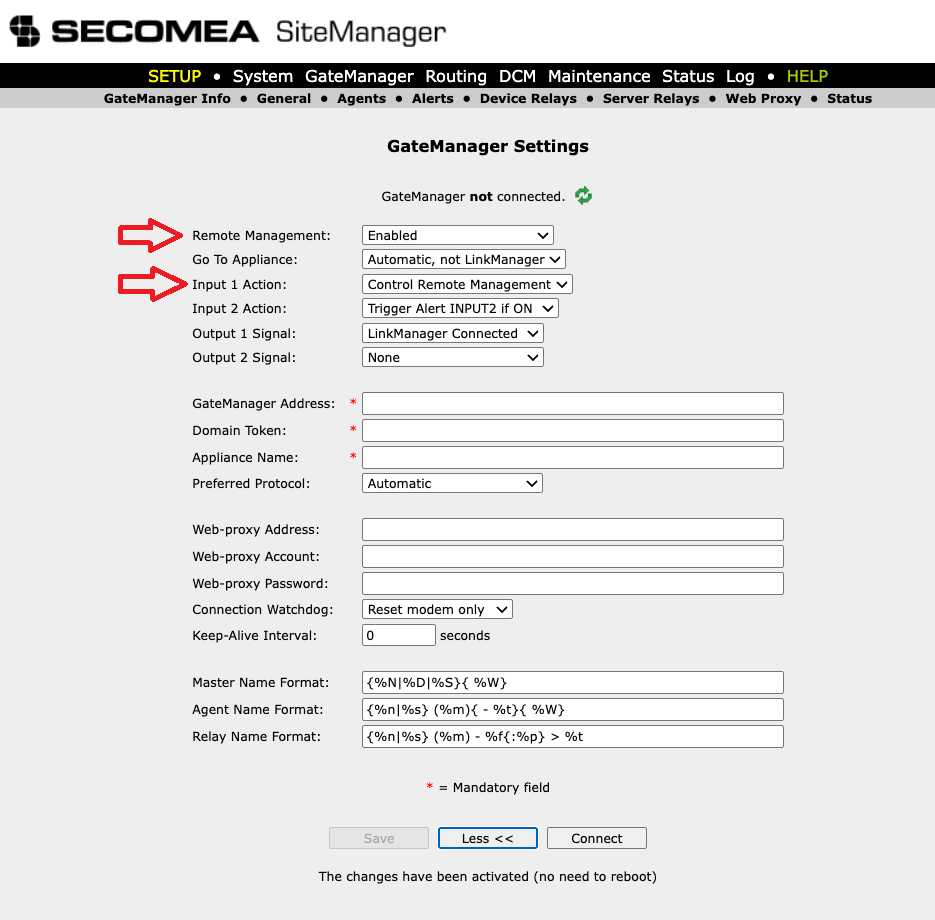
Configure the SiteManager with the following settings:
Remote Management: Enabled
Input 1 Action: Control Remote Management
Behaviour
Remote access is enabled by default. Closing the switch (IN 1 grounded) disables remote access. Opening the switch (IN 1 floating) re-enables it.
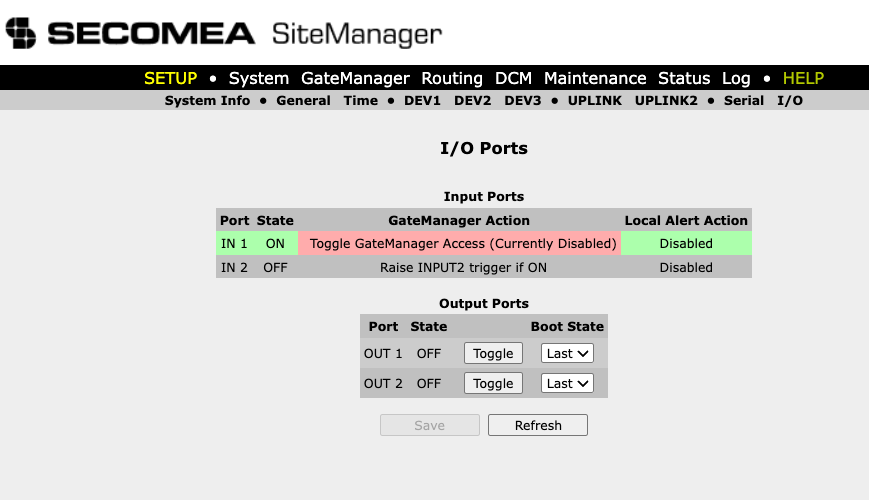
Alternate setup
Configure the SiteManager with the following settings:
Remote Management: Disabled.
Input 1 Action: Control Remote Management.
Behaviour
Remote access is disabled by default. Closing the switch (IN 1 grounded) enables remote access. Opening the switch (IN 1 floating) disables it again.