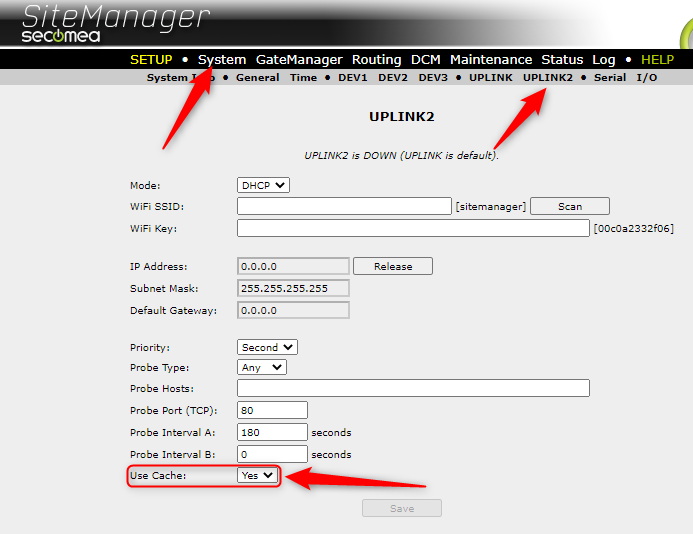
This article will show you how to enable/disable cache on UPLINK2.
A new feature has been introduced that when set to "No", it will make the SM disregard old connection parameters, and therefore sooner adapt to signal conditions in the new location.
SiteManagers that are never relocated should leave this option enabled, as per default.
Requirements
The Sitemanager must run on Firmware version 10.0 or newer.
This setting is only available for the hardware models.
To change this setting you must follow guide below:
Path: Sitemanager GUI-> System-> UPLINK2 -> Use Cache Yes/No