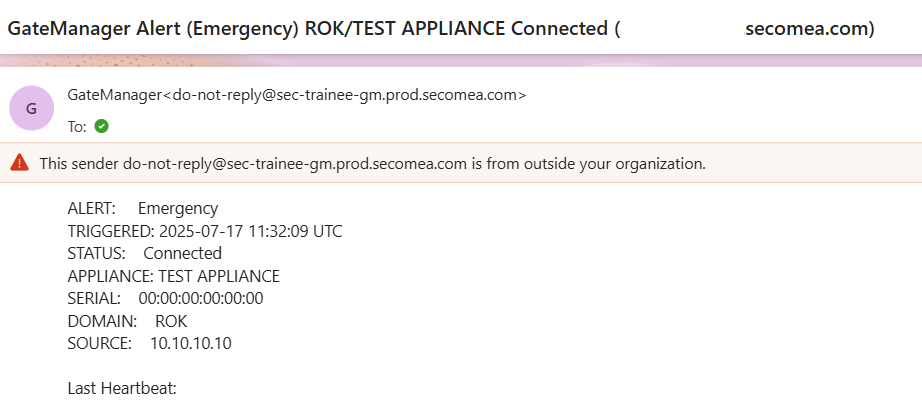
How to use Alerts to send an email when a SiteManager is connected to the GateManager.
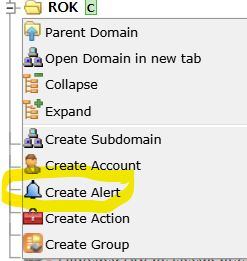
In your Domain, right click and select Create Alert
In this Alert, you can choose the following options
- Name: (What is this alert for?)
- Apply to: - Selected/All - Any/Specific Agents/Appliances/SiteManager/GateManagers/more in - This domain and joined domains/This domain and sub-domains
- Trigger on: - Appliance/LinkManager - Connect/Disconnect/Both/New - after (no. of seconds)
- Alert Template: Default/SMS/Forward
- Test - (see if this alert works once saved)
- Disabled: - when you no longer want to use this alert tick the box
- Description: (why create this alert?)
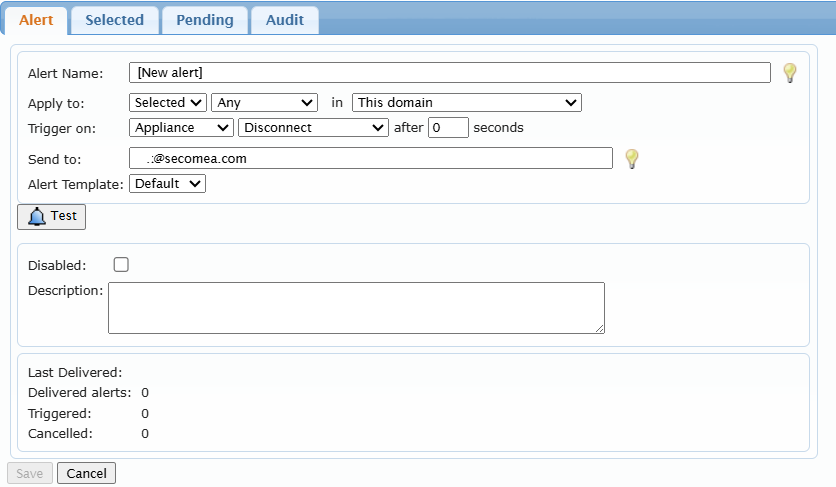
By creating the alert above; every time a new or previously connected SiteManager is (re)connected to the domain, you will receive an email.
Remember to Save the Alert that you just created.
Here's a sample mail alert that you will receive