Here we will show how to set up basic port forwarding on a SiteManager. This is very useful if you want to communicate between devices “across” the interfaces of the SiteManager, whether it is from the Uplink to the Device network or vice versa.
Example of a port forwarding scenario: PC on the office network needs access to an HTTP Webserver on the DEV network.
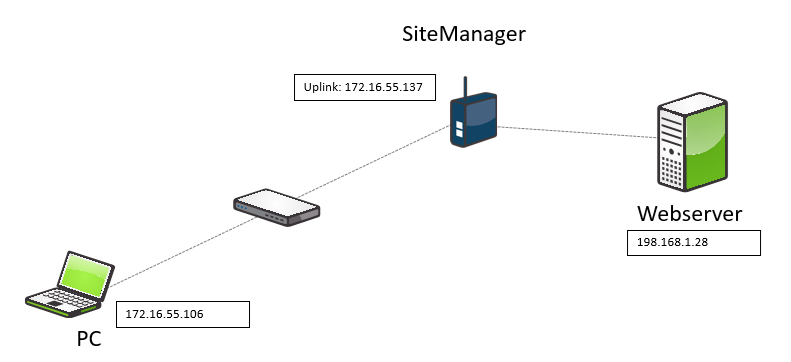
SiteManager Configuration
Under GateManager – Agents, Choose Custom (Advanced) - Forwarding
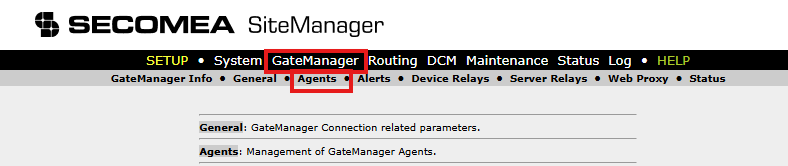
In the Device Type, Select CUSTOM (Advanced) and Forwarding

In Tunnel DCM, Select Parameter Details

From Parameter Details, you can set up the rule.
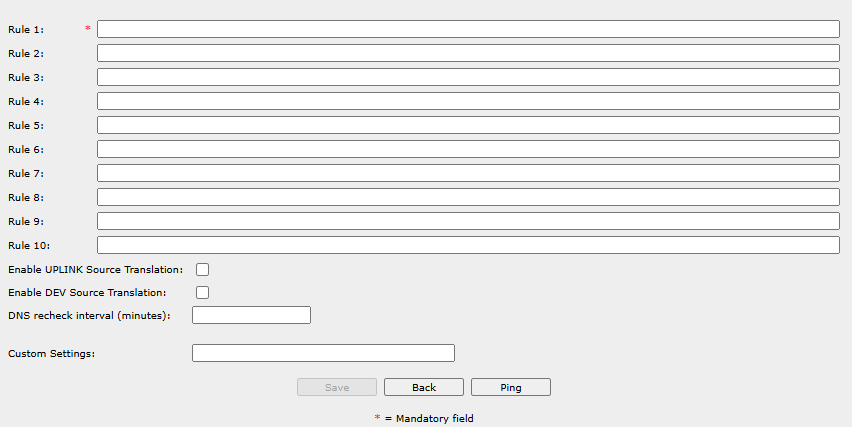
For example, in the rule for any PC:
UPLINK*:TCP>>DEV*:192.168.1.28

A rule for a specific PC:
UPLINK*:TCP:172.16.55.106:80>>DEV1:192.168.1.28

To access the webserver from the PC, the SiteManager UPLINK address 172.16.55.137 must be used.